Tailor a survey form to get user feedback on any aspect of your product.
Drag blocks into the survey creator and watch the reviewer-facing form come to life in the live preview. A survey can hold up to 15 questions, 20 text blocks, and 3 free-response questions.
Try the survey builder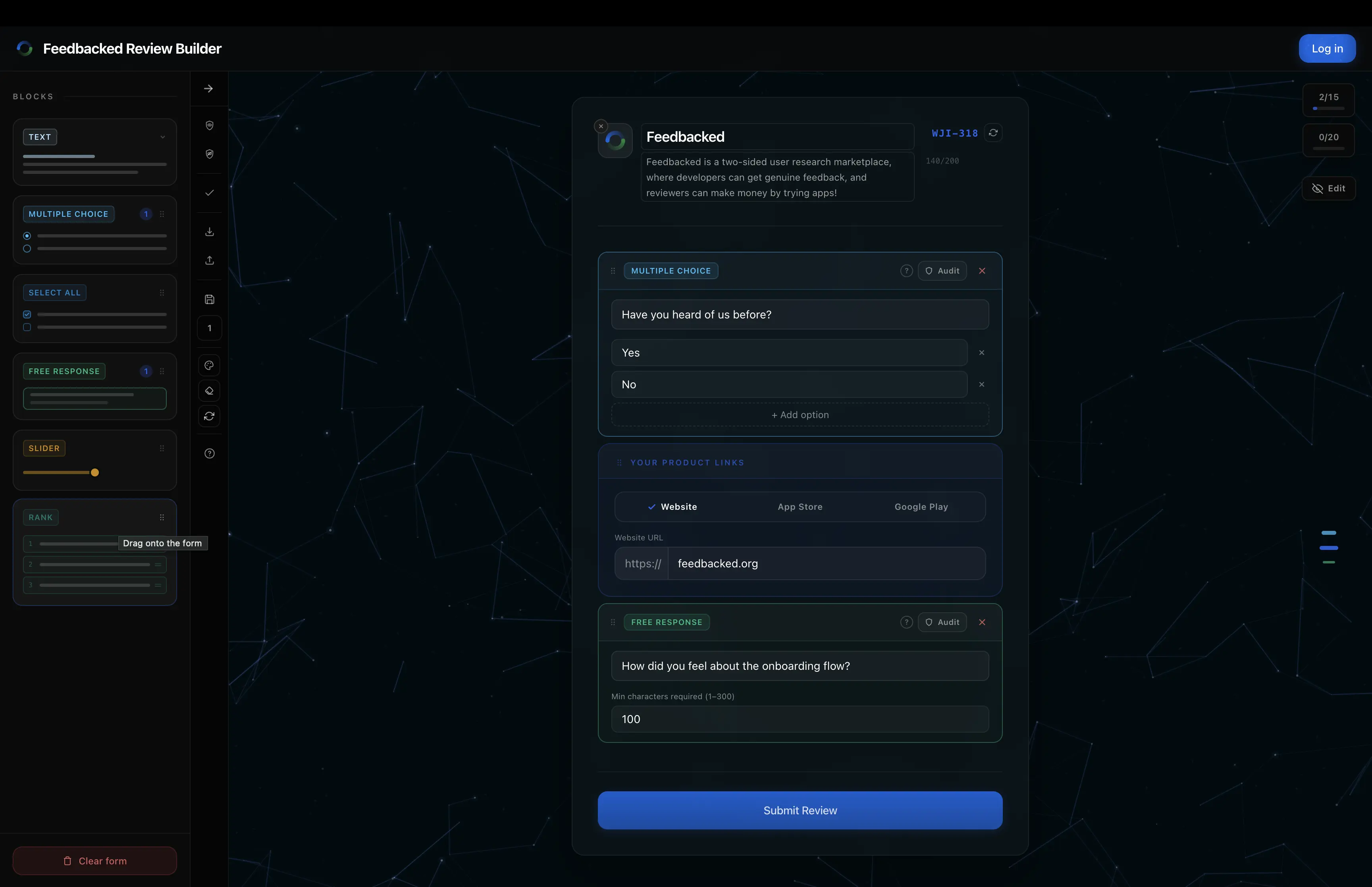
Reorder the experience
Drag new blocks in, move existing ones, and move the product-link divider itself.
Keep audits visible
Filter the canvas to all questions, audit questions, or regular questions.
Draft without losing work
Save into slots or export and import a .fbuild file.
Check both layouts
The same survey is editable through desktop and mobile builders.
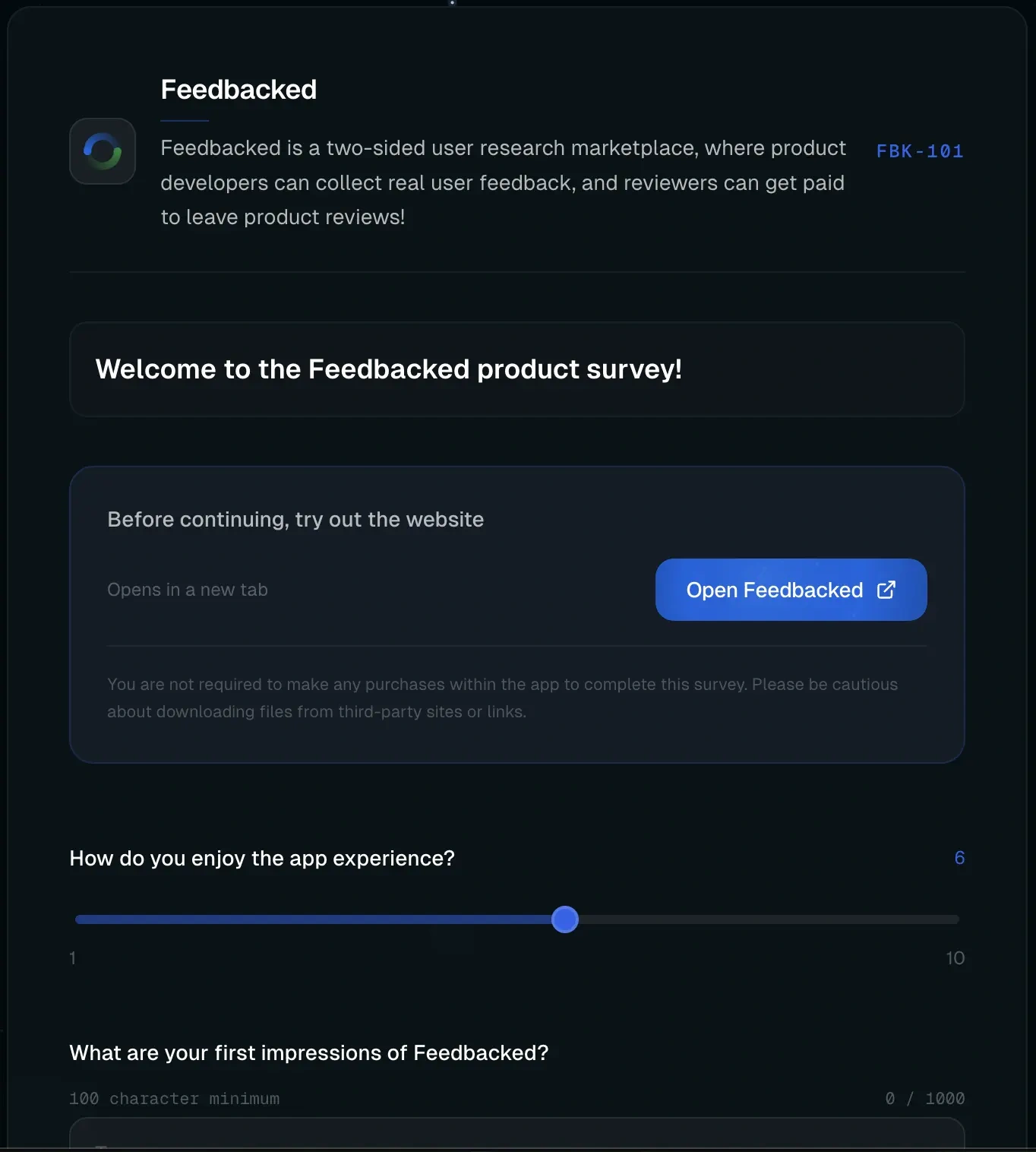
Reviewers see your published survey
Publishing turns your draft into the survey reviewers actually open, with your instructions and questions in place.
- 01Reviewers Find the survey on the public feed or with a product code.
- 02They read your instructions, then use the product, return, and answer the remaining questions.
- 03Feedbacked verifies their responses and you get the results. Junk responses are replaced for free.
Use audit questions to verify reviewers understand your product.
Audit questions provide a way for you to silently quiz reviewers on their understanding of your product.
Click the shield icon on any question in the builder and enter the answer that a reviewer would know if they tried your product. It appears in the survey like every other question, so reviewers can't tell which one is being checked. If they get it wrong, their response will be discarded.
Learn to write a proper audit questionRequired action: archive a project.
The reviewer does this once, using the product the normal way.
Audit question: what happens after you archive a project?
A pass just needs to show the project left the active list and landed in Archived. “It moves to Archived” and “it disappears from my active projects” both work.
The bar: easy if they did it, hard if they didn't.
It's not a memory test. It's one detail a reviewer only knows if they actually did the thing.
Pay only for verified feedback.
Choose as few as one verified response, pay in a supported currency, and optionally add a bonus that goes to reviewers.
View your feedback in the response viewer, aggregate or individual. Feedbacked has a built-in response viewer, and also lets you export your data for your own analysis.
Survey Results
FeedbackedWhat stood out most about the survey builder?
Post-link · 3/10 responsesDragging blocks around and watching the live preview update instantly made it easy to see exactly what reviewers would see.
The audit question fit in naturally with the rest of the survey. I didn't even notice it was different from a normal question.
Clean and straightforward. I finished the whole thing in under five minutes.
How intuitive was the survey builder?
Post-link · 3 responsesSee your product from the outside.
Get real app feedback from verified users.